
Wednesday, 6 January 2027
Online auction open for bids from Thursday 1 January 2027.
For over 40 years we have only been offering our elite ultrafine rams through a traditional on-farm sale and introduced an online auction platform in 2025 to enable a wider range of clients the opportunity to access leading Forest Range genetics.
As shown below this platform has been designed to not only be easy to use but also enable you to bid online prior to the sale if you need. It opens for viewing two weeks prior to the auction with dates advertised through our social media channels.
To view you will need to register by clicking on the link below.
**PLEASE NOTE - this auction is only open to New Zealand based buyers. Sheep or semen cannot currently be exported.
CLICK HERE TO REGISTERHow the Online System Works
Please note: You are still able to bid as per our original on-farm system. Your bids will be entered into the platform by one of our team on the day.
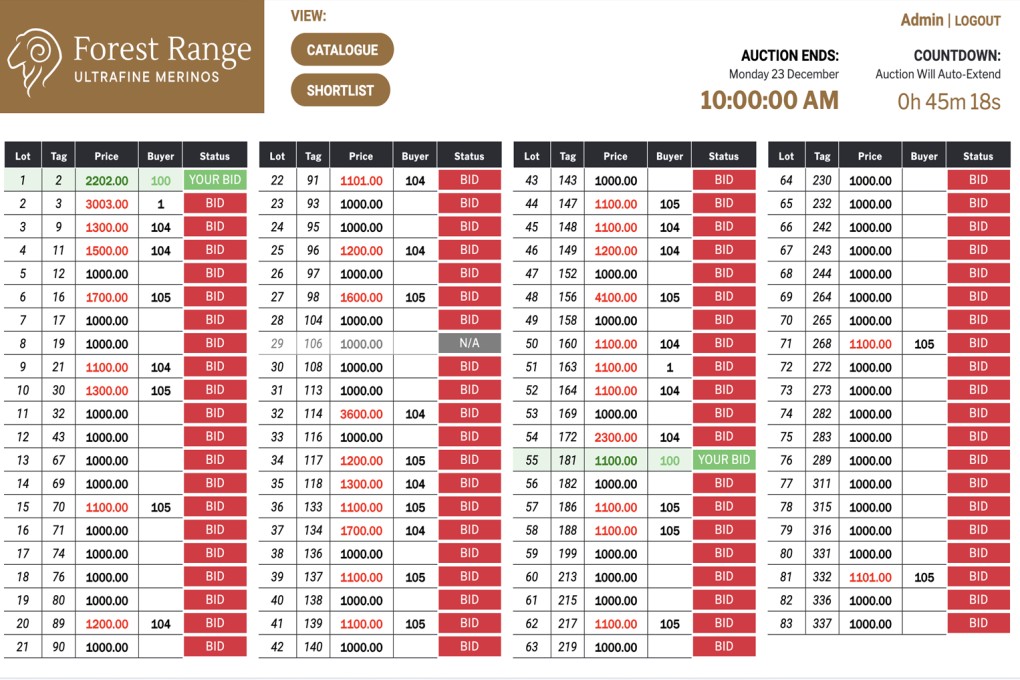
Main Auction Screen
The online system is best viewed from a laptop but has also been formatted for mobile viewing.
Upon registering you will see our Main Auction Screen.
This page outlines all the available lots.
Your Buyer Registration number will be visible at the top of the screen. This is only visible to you.
If the status is greyed out the lot has been withdrawn.
*NEW FEATURE: Once you select a lot to go into your shortlist the whole line will grey so that you can see at a glance what lots are on your shortlist.
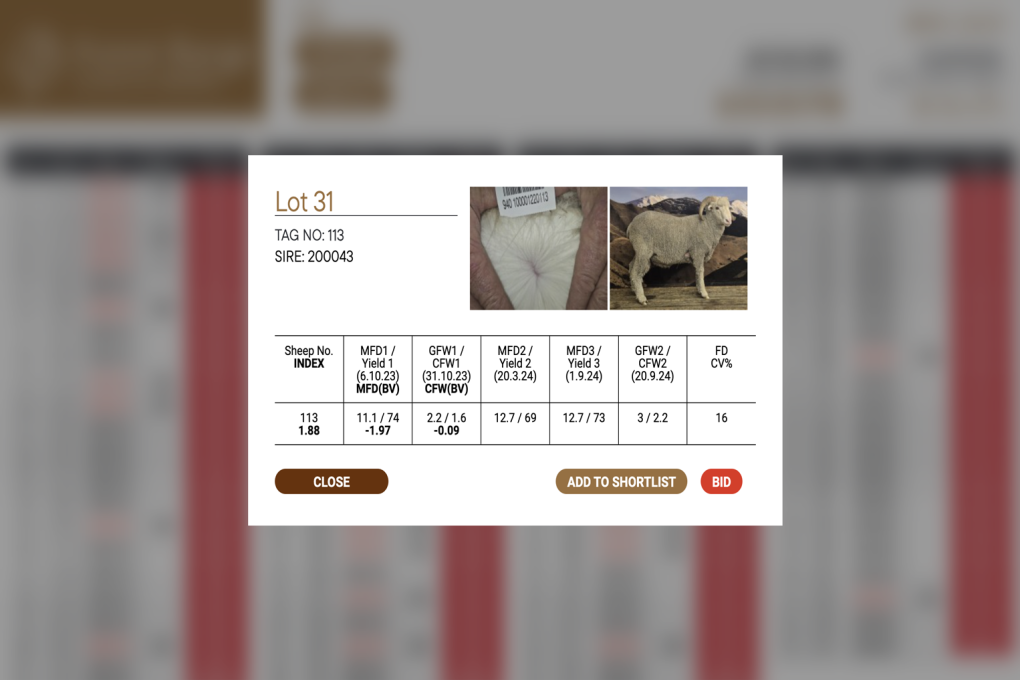
Animal Information Panel
When you click on the Lot number you are able to see details relating to each ram.
This includes a photo of their wool and the animal itself.
If you click on the photos they will open in a separate page for you to view in more detail. Just close the page to continue.
You are able to add an animal to your own Shortlist or make a Bid direct from this screen.
To close the screen just click the 'X' in the top corner.
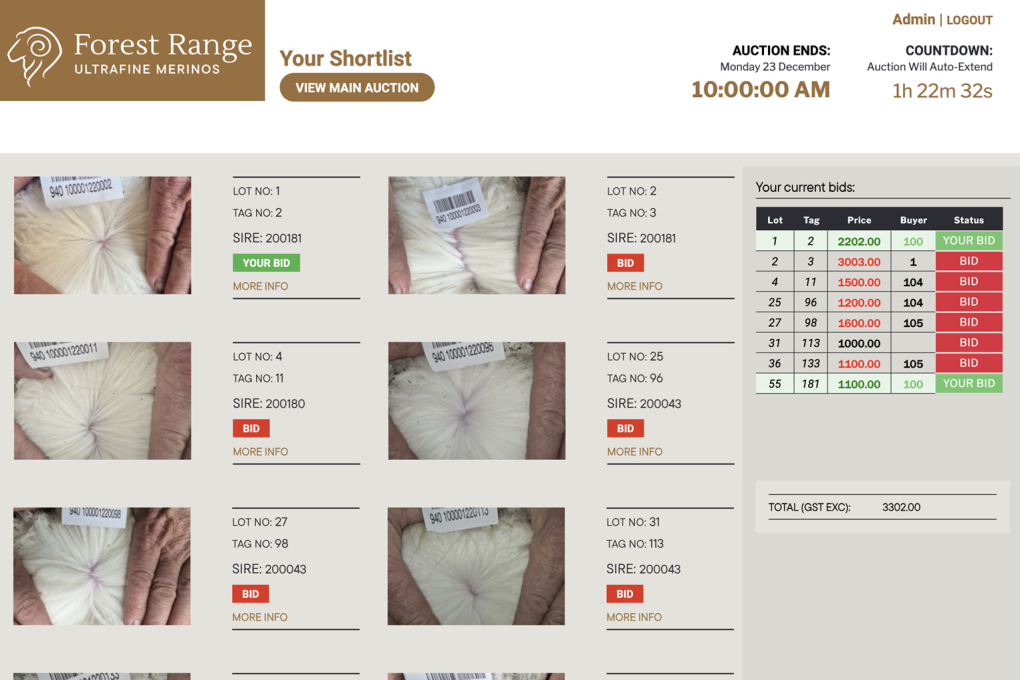
Your Shortlist Screen
The Shortlist screen enables you to refine your selection of Rams.
You are able to bid directly from this screen rather than return to the Main Auction screen as well as view the full details of the ram by clicking on the 'More info' link.
This page also provides a list of all your selected lots - highlighting the ones that you have bids on, and the total value of those to date.
*NEW FEATURES:
1. You can now drag and drop the lots so they view in the order you prefer.
2. The status of a lot that you have been overbidded on will now also turn orange with the word 'LOST'. You can make another bid by clicking on the orange 'lost'.
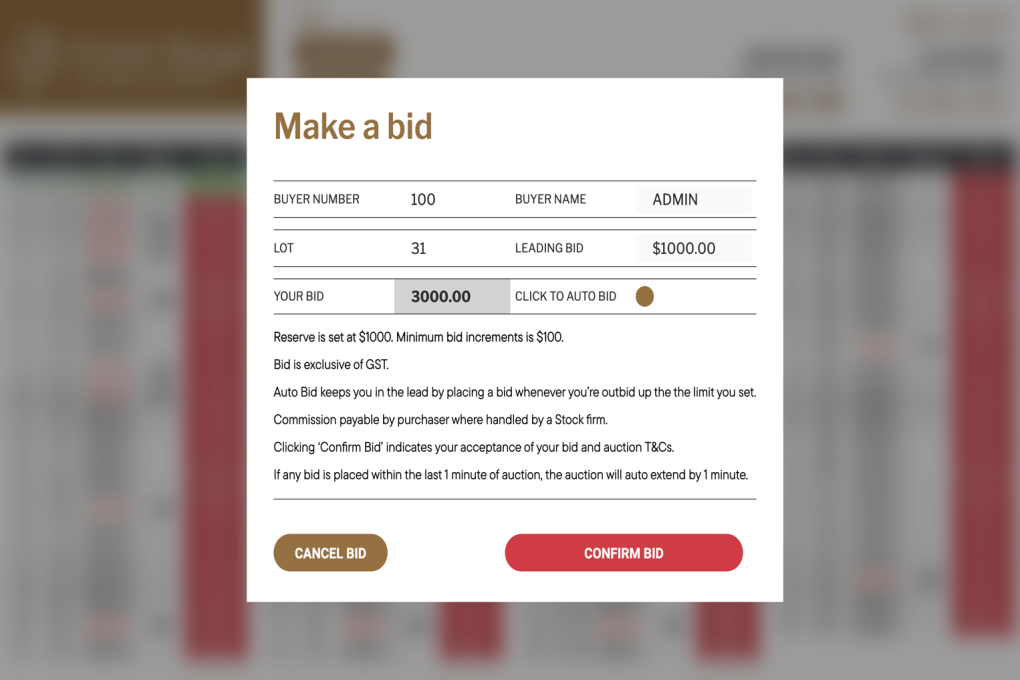
Make a Bid Panel
This is where you can make a bid.
It will auto-fill with your Buyer Number and show the current leading bid.
You can make a bid (in $100 increments) or make a bid to the maximum you wish to pay and select 'Auto-Bid'.
An Auto-bid is the maximum bid you are wishing to pay and bids will just automatically increase if someone bids under you until it reaches your Auto-Bid limit.
You are able to increase your Auto-Bid limit if you are outbid.
For any additional questions please do not hesitate to contact us directly on 021 247 3302 or anna@forestrange.co.nz